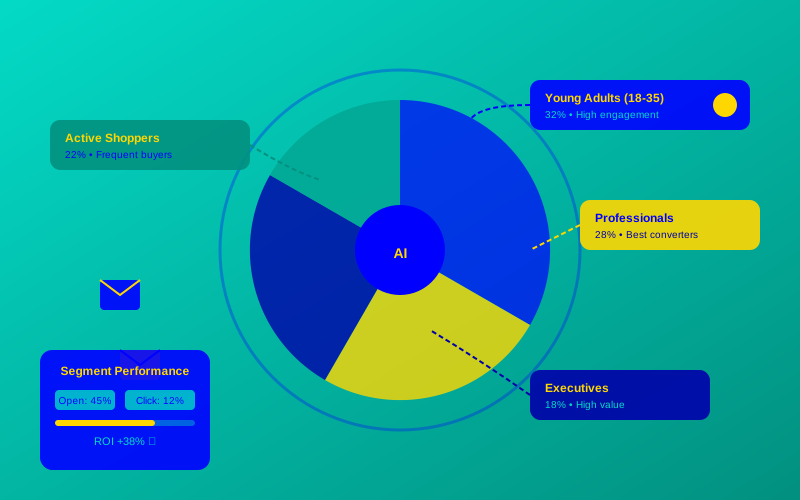
Struggling with low email engagement? Generic email blasts often miss the mark, failing to connect with your audience. AI email marketing audience segmentation solves this by grouping your customers based on their behaviors, preferences, and needs, ensuring your messages hit home. Let’s explore how six top tools can help you craft targeted campaign strategies that drive results.
What Is AI Email Marketing Audience Segmentation?
Think of your email list like a big school cafeteria. Not everyone likes the same food, right? AI email marketing audience segmentation uses smart tech to group your subscribers into smaller, specific clusters based on their actions, interests, or traits. For example, AI can spot who’s likely to buy sneakers versus who’s browsing winter coats, helping you send emails that feel personal.
Here’s a real-world example: A generic email offering a 10% discount might get a 2% click rate. But a micro-segmented email targeting users who viewed a specific product page (like “blue running shoes”) could see a 15% click rate. That’s the power of customer grouping AI!
“AI-driven segmentation can boost email open rates by up to 20% by delivering hyper-relevant content.” – HubSpot, 2024 Email Marketing Report
Why AI-Powered Segmentation Tools Are a Game-Changer
Traditional email marketing is like shouting into a megaphone—everyone hears the same message. AI-powered segmentation tools analyze data like purchase history, website visits, or even how long someone spent reading your last email. This creates predictive audiences that let you send the right message to the right person.
For instance, an online bookstore used behavioral segmentation to target readers who bought mystery novels with a campaign for a new thriller release. The result? A 25% higher conversion rate compared to their generic newsletter.
Top 6 AI-Powered Segmentation Tools for 2025
Here’s a comparison table to help you pick the best tool for precise email targeting.
| Tool Name | Key Feature | Best For | Price | ROI | Cons/Issues |
|---|---|---|---|---|---|
| Mailchimp | AI-driven behavioral segmentation | Small to medium businesses | Starts at $13/month | High: Easy to use, quick setup | Limited advanced analytics in free plan |
| Klaviyo | Predictive audience analytics | E-commerce brands | Starts at $45/month | Excellent: Strong revenue tracking | Steeper learning curve |
| ActiveCampaign | Micro-segmentation AI for dynamic lists | Growing businesses | Starts at $29/month | Great: Affordable automation | Can feel complex for beginners |
| HubSpot | Integrated CRM with audience analytics | Large teams with CRM needs | Starts at $50/month | High: Robust all-in-one platform | Expensive for small businesses |
| Omnisend | Pre-built segmentation workflows | E-commerce startups | Starts at $16/month | Good: Fast setup for small teams | Fewer integrations than competitors |
| Customer.io | Real-time behavioral triggers | Tech-savvy marketers | Starts at $100/month | Strong: Flexible for developers | Requires technical know-how |
How to Choose the Right Tool for Your Needs
Picking a tool depends on your goals. Mailchimp is great for beginners, with simple drag-and-drop segmentation. Klaviyo shines for e-commerce, using predictive audiences to forecast who’s likely to buy. If you need a full CRM, HubSpot integrates segmentation with customer data. For tech-heavy teams, Customer.io offers deep customization but requires coding skills.
“Segmentation isn’t just about dividing lists—it’s about understanding your audience’s story.” – Sarah Johnson, Email Marketing Strategist at Klaviyo
Pain Point Solved: If your generic emails are getting ignored, tools like ActiveCampaign let you create micro-segmentation AI lists (e.g., “cart abandoners who viewed jackets”) to boost engagement.

Step-by-Step Guide to AI Email Marketing Audience Segmentation
Ready to start? Follow these steps to set up list segmentation techniques using an AI tool like Mailchimp:
- Connect Your Data: Link your email tool to your website, CRM, or e-commerce platform to pull in customer data.
- Define Your Segments: Use AI to group customers by behavior (e.g., “frequent buyers”) or demographics (e.g., “age 18-24”).
- Set Up Triggers: Create automated emails for specific actions, like sending a discount to users who clicked a product link.
- Test and Refine: Send test campaigns to small segments and track open/click rates to optimize.
- Monitor Analytics: Use the tool’s dashboard to see which segments perform best and tweak your strategy.
Example Prompt for Klaviyo: Create a segment for “users who viewed a product page but didn’t purchase in the last 7 days.” This could trigger an email like, “Still thinking about those blue sneakers? Here’s 10% off!”
Visualizing Engagement with a Bar Chart
To show how segmentation impacts engagement, let’s look at data from a 2024 study by Mailchimp. The chart below compares open rates for generic versus segmented emails.
This chart shows segmented emails have a 35% open rate versus 20% for generic ones—a clear win!
Pros and Cons of AI Email Segmentation
Pros:
- Higher engagement through targeted campaign strategies.
- Saves time with automated customer grouping AI.
- Improves ROI, with studies showing a 760% revenue increase from segmented campaigns (DMA, 2024).
Cons:
- Requires clean, accurate data to work effectively.
- Some tools (e.g., Customer.io) need technical skills.
- Initial setup can take time to master.
“Without quality data, even the best AI segmentation tools will fall flat.” – John Lee, Marketing Analyst at DMA
5 Questions to Ask Before Segmenting Your List
To plan your strategy, download our checklist:
- What are my campaign goals (e.g., sales, engagement)?
- What data do I have (e.g., purchase history, website clicks)?
- Which behaviors matter most to my business?
- How often will I update my segments?
- What metrics will I track to measure success?
Looking Ahead: The Future of AI Segmentation
AI email marketing audience segmentation is evolving fast. In 2025, expect even smarter audience analytics solutions that predict customer needs before they act. By starting now, you’ll stay ahead of the curve, delivering emails that feel like they were written just for each subscriber.
Frequently Asked Questions (FAQs)
What’s the difference between manual and AI email segmentation?
Manual segmentation relies on you setting rules (e.g., “age 25+”). AI uses behavioral segmentation to automatically find patterns, like who’s likely to buy based on past clicks.
How much data do I need for AI segmentation?
You need enough data to spot trends—think purchase history, website visits, or email opens. Most tools work well with 1,000+ subscribers.
Can small businesses afford AI segmentation tools?
Yes! Tools like Mailchimp and Omnisend start at $13-$16/month, perfect for small teams.
How do I measure segmentation success?
Track metrics like open rates, click rates, and conversions. A good tool will show these in a dashboard.