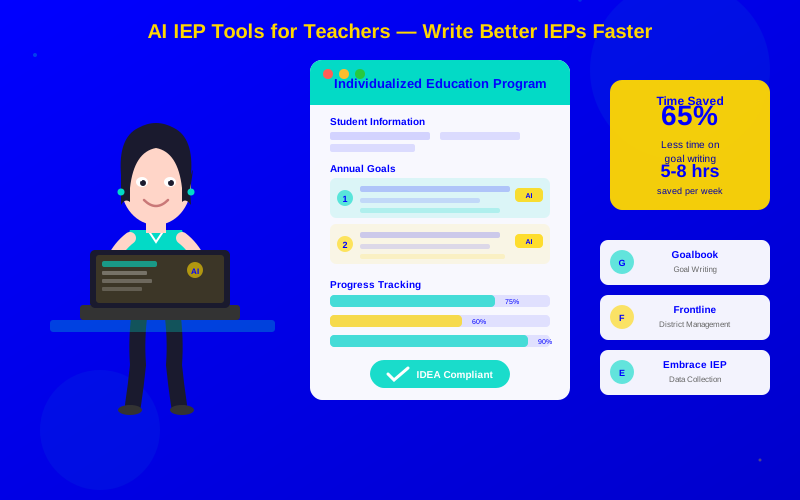
AI IEP tools cut goal-writing time by 60-75%, freeing teachers for student interaction.
The best tools auto-align goals to state standards and track progress in real time.
Compliance features flag missing elements before administrators or auditors find them.
Goalbook Toolkit leads for goal writing; Frontline excels at district-wide management.
Start with one tool for your biggest pain point—don't overhaul everything at once.
IEP paperwork is the number one time drain for special education teachers. Writing goals, tracking progress, updating documents, ensuring compliance—it adds up to 10-15 hours per week for many educators. AI tools now cut that time in half or more.
This guide covers the best AI IEP tools available in 2026. You'll learn what each tool does best, how to choose the right one, and how to get started fast.
Why AI IEP Tools Matter
AI IEP tools deliver the biggest time savings on compliance checks (90%) and progress reports (75%)
Special education teachers juggle enormous caseloads. The average special education teacher manages 15-25 active IEPs, each requiring quarterly progress reports, annual reviews, and ongoing documentation.
AI IEP tools address this by automating the most time-consuming parts of the process:
IEP Task
Manual Time
With AI Tool
Time Saved
Writing annual goals
2-3 hours per student
30-45 minutes
65-75%
Quarterly progress reports
45-60 minutes per student
10-15 minutes
75%
Compliance review
30-45 minutes per IEP
Automatic (real-time)
90%+
Data collection
Ongoing throughout day
Simplified with app
50-60%
Parent report generation
30-45 minutes per student
5-10 minutes
80%
"Before AI tools, I spent every Sunday afternoon writing IEP paperwork. Now I finish during my planning periods. I haven't worked a Sunday in months."
— Maria Santos, Special Education Teacher, Texas
Complete AI IEP Tool Comparison
Here are the top AI IEP tools for teachers in 2026, with honest assessments of each:
1. Goalbook Toolkit
Best for: Writing standards-aligned IEP goals
Goalbook Toolkit is the gold standard for IEP goal writing. It combines a massive goal bank with AI suggestions that adapt to each student's present levels and assessment data.
Key features:
Standards-aligned goal bank: Thousands of pre-written goals linked to Common Core and state standards
AI goal suggestions: Enter present levels and assessment data, get tailored goal recommendations
Scaffolded objectives: AI breaks annual goals into measurable short-term objectives
UDL integration: Universal Design for Learning strategies connected to each goal
Progress monitoring templates: Pre-built data collection forms that match your goals
Pricing: $5-10 per student per year (volume discounts for districts)
Best for: Individual teachers and small teams focused on writing better goals faster.
2. Frontline Special Programs (formerly Excent)
Best for: District-wide IEP management
Frontline is the most comprehensive platform for managing IEPs across an entire district. It handles everything from initial referral through annual reviews and exit.
Key features:
Full IEP workflow: Referral, evaluation, eligibility, IEP writing, and annual review in one system
Compliance engine: Automatic checks against federal IDEA requirements and state rules
Timeline management: Alerts for upcoming deadlines, meetings, and re-evaluations
Parent portal: Parents can review documents and sign electronically
Reporting dashboard: District administrators see compliance rates across all schools
Pricing: Custom pricing based on district size (typically $8-15 per student per year)
Best for: Districts wanting a single system for all special education documentation.
3. IEP Direct
Best for: Balanced features and usability
IEP Direct sits between Goalbook (goal-focused) and Frontline (enterprise). It offers strong IEP writing tools with solid management features at a moderate price.
Key features:
AI-assisted drafting: Generates complete IEP sections from student data and teacher notes
Built-in compliance: State-specific templates that meet local requirements
Progress monitoring: Track goals with graphs and automated progress narratives
Meeting management: Schedule, prepare, and document IEP meetings
Mobile data collection: Record student data on phone or tablet throughout the day
Pricing: $8-12 per student per year
Best for: Schools wanting full IEP management without the complexity of enterprise platforms.
4. Embrace IEP
Best for: Progress monitoring and data collection
Embrace focuses on the daily data collection that makes or breaks IEP goals. Its mobile-first design makes it easy to record data during instruction.
Key features:
One-tap data entry: Record trial data, frequency counts, and observations with minimal disruption
AI trend analysis: Automatically identifies whether students are on track to meet goals
Visual progress reports: Generates graphs and narratives ready for IEP meetings
Goal bank integration: Connects data collection to specific IEP goals
Team collaboration: Multiple staff members can collect data on shared students
Pricing: $4-8 per student per year
Best for: Teachers who need better daily data collection to support IEP decisions.
5. PresenceLearning
Best for: Schools with teletherapy services
PresenceLearning combines teletherapy delivery with IEP documentation. It's ideal for schools that provide remote speech, occupational, or behavioral therapy.
Key features:
Integrated teletherapy: Video sessions with built-in therapeutic activities
Session documentation: AI generates session notes from therapist inputs during sessions
IEP goal tracking: Progress data from therapy sessions links to IEP goals automatically
Scheduling: Smart scheduling that accounts for student availability and caseload balance
Pricing: Per-session pricing (varies by service type)
Best for: Schools using teletherapy or serving rural students.
How to Choose the Right Tool
Different tools serve different needs. Use this decision framework:
Decision Guide
Your Situation
Recommended Tool
Why
Individual teacher, need better goals
Goalbook Toolkit
Best goal bank, lowest barrier to start
School-wide adoption needed
IEP Direct
Good balance of features and simplicity
District-wide standardization
Frontline
Enterprise features and compliance reporting
Focus on daily data tracking
Embrace IEP
Best mobile data collection experience
Remote therapy services
PresenceLearning
Integrated teletherapy and documentation
Questions to Ask Before Buying
Does it integrate with your school's existing student information system (SIS)?
Does it meet your state's specific IEP format requirements?
What training and onboarding does the vendor provide?
Can you try it free for 30 days with real student data?
What happens to your data if you switch tools?
Tips for Better AI-Assisted Goal Writing
AI tools draft goals faster, but quality still depends on the information you provide. Follow these tips:
1. Start with Strong Present Levels
The better your present levels statement, the better the AI's goal suggestions. Include:
Current assessment scores with dates
Specific skill descriptions (not just "below grade level")
What the student can do, not just what they can't
How the disability affects classroom performance
2. Review and Personalize Every Goal
AI generates starting points. Always customize:
Make sure the goal matches your classroom context
Adjust measurement criteria to what you can realistically track
Add student-specific accommodations and supports
Verify alignment with the student's actual needs, not just what the AI suggests
3. Use Data to Drive Decisions
AI tools generate the most useful goals when they have data to work with:
Upload or enter assessment results before requesting goal suggestions
Connect progress monitoring data from previous goals
Include behavioral and observational data alongside academic scores
Getting Started This Week
You can go from zero to productive in under a week with this quick-start approach
Don't wait for the perfect moment. Here's how to start using AI IEP tools right away:
Day 1: Choose Your Tool
Pick one tool based on your biggest pain point. Sign up for a free trial if available.
Day 2-3: Learn the Basics
Watch the vendor's onboarding video. Try writing one goal for one student you know well.
Day 4-5: Write Goals for One Student
Complete a full set of draft goals for one IEP using the AI tool. Compare with what you would have written manually.
Week 2: Expand
Use the tool for your next three IEP meetings. Ask colleagues to try it for one student each.
Conclusion
AI IEP tools aren't about making IEPs less personal. They're about removing the mechanical parts of the process so you can focus on the personal parts. When AI handles formatting, compliance checks, and progress report generation, you have more time to think deeply about each student's needs.
Looking to save time beyond IEPs? Our guide on how to Automate Classroom Tasks covers grading, attendance, and communication. And if you want to give better feedback without spending more hours, check out AI Grading for Personalized Feedback. Your students—and your weekends—will thank you.
IEP toolsspecial educationAI for teachersIEP goal writingprogress monitoringeducation technologyIDEA compliance
Frequently Asked Questions
Yes, all major AI IEP tools listed in this guide comply with FERPA. They encrypt student data, restrict access to authorized staff, and provide audit trails. Always review a tool's data processing agreement with your district's legal or IT team before adoption.