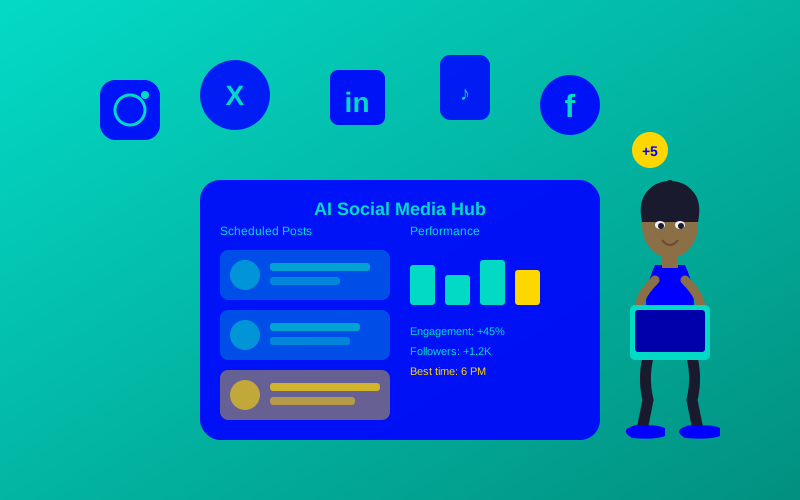
Social media can feel like a giant puzzle—posting, engaging, and analyzing data all take time and effort. For young creators, managing accounts while keeping up with trends is tough. The AI social media tools guide shows you how artificial intelligence can make this easier, saving time and boosting your online presence. This article breaks down 15 strategies to use AI-powered tools for social media success in 2025.
What Are AI Social Media Tools?
AI social media tools are like super-smart assistants for your accounts. They use artificial intelligence to help you create posts, schedule content, analyze performance, and engage with followers. Think of AI as a librarian who finds the best books (or strategies) for you in seconds. For example, an AI tool might suggest the perfect caption for your Instagram photo of a cat in a superhero costume.
AI is transforming social media by automating repetitive tasks and providing insights that were previously impossible for small teams.” — Hootsuite’s 2025 Social Media Trends Report
Why Use AI for Social Media in 2025?
AI saves time and makes your content stand out. It can predict what your audience likes, suggest trending hashtags, or even create eye-catching visuals. In 2025, social media automation tools are key to staying ahead, as platforms like Instagram and TikTok reward consistent, high-quality posts. For instance, AI can analyze which of your dance videos got the most likes and suggest similar content.
By 2025, over 80% of social media marketers will use AI to enhance content strategies.” — Sprout Social Insights, 2024
15 Must-Know AI Social Media Strategies for 2025
Strategy 1: Automate Content Creation with AI
AI tools like Canva’s Magic Studio or Jasper can generate posts, captions, and images in seconds. Imagine typing “create a funny TikTok caption about a dog” and getting “This pup’s ready to fetch some likes! 🐶✨ #DogStar.” These tools use content creation AI to match your style and audience.

Strategy 2: Schedule Posts Like a Pro
Tools like Buffer and Later use AI to pick the best times to post. They analyze when your followers are online, ensuring your content gets maximum views. For example, if your audience loves your art posts at 7 PM, the AI schedules them automatically.

Strategy 3: Boost Engagement with AI Chatbots
AI-powered chatbots, like ManyChat, reply to comments and messages instantly. If someone comments “Love this!” on your post, the chatbot can reply, “Thanks! What’s your favorite part?” This keeps your community active and happy.

Strategy 4: Create Stunning Visuals with AI
Tools like Midjourney or DALL·E 3 create images from text prompts. Try a prompt like “a neon-colored skateboarder in a futuristic city” for a viral Instagram post. These advanced social platforms make professional visuals easy for anyone.

Strategy 5: Analyze Performance with AI Insights
Social media analytics AI tools like Sprout Social track what works. They show which posts get the most likes or shares. For example, if your gaming clips do better on YouTube than TikTok, AI helps you focus there.
Strategy 6: Find Trending Hashtags
AI tools like Flick suggest hashtags that boost your reach. If you post about fashion, the AI might recommend #OOTD2025 or #StyleVibes. This helps new people find your content.
Strategy 7: Personalize Content for Your Audience
AI studies your followers to suggest content they’ll love. For instance, Lately’s AI might notice your audience likes funny memes and suggest more humor.
Strategy 8: Optimize Ad Campaigns
Tools like Smartly.io use AI to make ads more effective. They test different images and text to see what gets clicks, saving you money and time.
Strategy 9: Monitor Brand Mentions
AI tools like Brandwatch track what people say about you online. If someone mentions your art account, you’ll know instantly and can respond.
Strategy 10: Generate Video Content
AI video tools like Synthesia create short clips from text. You could make a 15-second TikTok ad for your merch in minutes.
Strategy 11: Use AI for Community Management
Community management AI like Agorapulse organizes comments and messages, so you never miss a fan’s question. It’s like having a personal assistant for your inbox.
Strategy 12: Predict 2025 Social Media Trends
AI tools analyze data to spot trends early. For example, Hootsuite’s AI might predict that short-form video will dominate TikTok in 2025.
Strategy 13: Write Better Captions
AI writing tools like Copy.ai craft catchy captions that grab attention. They can turn “I like this photo” into “Chasing sunsets and good vibes! 🌅 #LiveYourBestLife.”
Strategy 14: Automate Repetitive Tasks
AI can repost your best content or resize images for different platforms. This saves hours every week.
Strategy 15: Stay Safe with AI Moderation
Tools like Content Moderator filter out harmful comments, keeping your page a positive space.
“AI tools are no longer optional—they’re essential for scaling social media efforts in 2025.” — Ryan Holmes, Social Media Expert
Choosing the Best AI Social Media Tool
| Tool Name | Key Feature | Best For | Price (2025) | ROI | Cons/Issues |
|---|---|---|---|---|---|
| Canva Magic | AI image and caption creation | Visual content creators | $12.99/month | High for visuals | Limited analytics |
| Buffer | AI scheduling and analytics | Small teams and creators | $6/poster/month | Great for consistency | Basic chatbot features |
| Sprout Social | Advanced analytics | Growing accounts | $249/month | High for insights | Expensive for beginners |
| Midjourney | AI-generated art | Creative visuals | $10/month | High for unique posts | Learning curve for prompts |
| ManyChat | AI chatbot for engagement | Community managers | $15/month | Good for interaction | Limited to specific platforms |
How to Get Started with AI for Social Media: A Step-by-Step Guide
- Pick a Goal: Decide if you want better visuals, more engagement, or faster posting.
- Choose a Tool: Start with a free trial of Canva or Buffer to test AI features.
- Set Up Your Account: Connect your social media accounts to the tool.
- Create Content: Use AI to make a post, like a meme or video.
- Analyze Results: Check the tool’s analytics to see what worked.
- Adjust and Repeat: Tweak your strategy based on AI insights.
Growth of AI Social Media Tool Usage (2023-2025)
This line chart shows how AI tool usage in social media has grown, with 80% of marketers expected to use them by 2025.
Automating a Post with Buffer’s AI API
Here’s a simple Python script to schedule a post using Buffer’s API:
import requests
def schedule_post(access_token, profile_id, text, media_url):
url = "https://api.bufferapp.com/1/updates/create.json"
payload = {
"profile_ids[]": profile_id,
"text": text,
"media[link]": media_url,
"access_token": access_token
}
response = requests.post(url, data=payload)
return response.json()
# Example usage
access_token = "your_access_token"
profile_id = "your_profile_id"
post_text = "Check out my new AI-generated art! 🎨 #ArtVibes"
media_url = "https://example.com/art.jpg"
result = schedule_post(access_token, profile_id, post_text, media_url)
print(result)
This code sends a post to Buffer’s AI scheduling system. Replace your_access_token and your_profile_id with your actual credentials.
Looking Ahead: Why AI-Powered Social Media Strategies Win in 2025
AI is your secret weapon for social media success. By automating tasks, creating stunning content, and analyzing data, AI-powered social media strategies help you shine online. Start small with tools like Canva or Buffer, and watch your accounts grow. The future is here, and AI makes it easier than ever to stand out.
Frequently Asked Questions (FAQs)
What Is AI for Social Media?
AI for social media uses smart tech to handle tasks like posting, replying, and analyzing data. It’s like a robot helper for your accounts.
How Do AI Social Media Tools Work?
They use algorithms to study your audience, suggest content, and automate tasks. For example, they might analyze past posts to find the best time to share.
What Are the Benefits of AI in Social Media Management?
AI saves time, boosts engagement, and helps you create better content. It’s like having a team of experts working for you.
How Can I Start Using AI for Social Media?
Pick a tool like Buffer, sign up, connect your accounts, and try creating a post. Most tools have free trials to test.