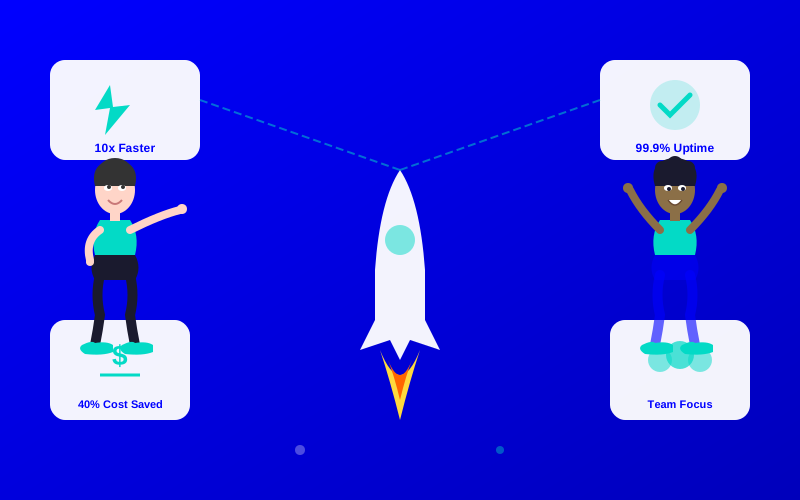
7 Key Benefits of AI in DevOps Lifecycle

From accelerating release cycles to creating higher-quality code, AI in DevOps delivers seven transformative benefits that are reshaping the software industry.

0

Shares

159

Reads

What You’ll Learn

  • How AI makes DevOps faster and more efficient.
  • Practical examples of AI tools in action.
  • A comparison of top AI tools for DevOps.
  • Actionable steps to integrate AI into your DevOps workflow.
benefits of ai in devops lifecycle

Imagine trying to juggle ten balls at once while riding a unicycle. That’s what managing a DevOps lifecycle can feel like—complex, fast, and full of surprises. The benefits of AI in DevOps are like having a smart assistant who catches those balls for you, making the process smoother, faster, and less stressful. In this article, we’ll explore seven ways AI is transforming DevOps, helping developers work smarter and deliver better software.

What Is the DevOps Lifecycle?

The DevOps lifecycle is like a recipe for baking a cake. It’s a series of steps—planning, coding, building, testing, releasing, deploying, operating, and monitoring—that teams follow to create and maintain software. Each step needs to be quick and error-free to keep users happy. AI steps in like a super-smart chef, automating tasks and catching mistakes before they ruin the cake.

7 Key Benefits of AI in DevOps

1. Faster Release Cycles with AI Automation

AI can speed up the DevOps process by automating repetitive tasks. For example, AI tools can analyze code changes and decide which tests to run, saving hours of manual work. This leads to faster release cycles, letting teams deliver updates to users quicker.

“AI-driven automation in DevOps can reduce release cycles by up to 50%, enabling teams to deploy multiple times a day.” — Gartner, 2024 DevOps Trends Report

Imagine a team at a gaming company using an AI tool like GitHub Copilot to suggest code fixes instantly. This cuts down the time spent on debugging, so new game features reach players faster.

2. Improved Code Quality Through AI Analysis

AI tools act like a super-smart editor, spotting errors in code before they cause problems. They analyze patterns and suggest fixes, leading to improved code quality. Tools like DeepCode use AI to catch bugs that humans might miss.

For instance, a developer writing a website’s login system might overlook a security flaw. An AI tool scans the code and flags the issue, preventing a potential hack.

“AI-powered code review tools improve software quality by detecting 30% more bugs than traditional methods.” — Forbes, AI in Software Development, 2025

3. Enhanced Developer Productivity with AIOps

AIOps advantages come from combining AI with IT operations. AIOps platforms, like Dynatrace, monitor systems in real-time, predict issues, and suggest fixes. This frees developers to focus on coding instead of troubleshooting, boosting enhanced developer productivity.

Picture a developer working on an e-commerce app. AIOps notices a server slowdown before it crashes, alerting the team to fix it. The developer keeps coding without interruption.

4. Cost-Effective DevOps AI Solutions

AI reduces costs by automating tasks and preventing errors. Instead of hiring extra staff to monitor systems, AI tools handle it, making DevOps cost-effective. For example, AI-driven testing tools like Testim reduce the need for manual testers.

A startup building a mobile app can use AI to automate testing, saving thousands of dollars on hiring costs while still ensuring a bug-free app.

“Organizations using AI in DevOps report a 20-30% reduction in operational costs.” — McKinsey, AI in DevOps Study, 2025

5. Smarter CI/CD Pipelines with AI

Continuous Integration and Continuous Deployment (CI/CD) are like a conveyor belt for software updates. AI makes this belt run smoother by predicting pipeline failures and optimizing workflows, delivering CI/CD benefits. Tools like Jenkins X use AI to streamline these processes.

For example, an AI tool might notice that a specific test always fails due to a configuration error. It suggests a fix, keeping the pipeline running without delays.

6. Proactive Monitoring and Issue Detection

AI monitors systems like a watchful guard dog, spotting problems before they bite. It analyzes logs and metrics to predict outages, ensuring AI for development efficiency. Tools like Splunk use AI to provide real-time insights.

Imagine a streaming service like Netflix using AI to detect a server issue before it stops your favorite show. The system fixes itself, and you never notice a glitch.

“AI-driven monitoring reduces system downtime by 40%, improving user satisfaction.” — TechCrunch, AI in DevOps, 2025

7. Personalized Developer Support with AI Assistants

AI assistants, like Grok from xAI, act as a personal tutor for developers. They answer questions, suggest code, and explain complex concepts, offering artificial intelligence developer perks. This support speeds up learning and problem-solving.

A junior developer struggling with a Python script can ask Grok for help. The AI suggests a cleaner way to write the code, helping the developer learn and finish faster.

Choosing the Best AI Tool for DevOps

Here’s a table to help you pick the right AI tool for your DevOps needs:

Tool NameKey FeatureBest ForPriceROICons/Issues
GitHub CopilotCode suggestionsWriting code$10/monthHigh: Saves coding timeLimited to code-focused tasks
DynatraceAIOps monitoringSystem monitoring$69/monthHigh: Prevents downtimeComplex setup for beginners
TestimAI-driven testingAutomated testing$450/yearMedium: Reduces testing costsLimited integrations
SplunkReal-time analyticsIssue detectionCustom pricingHigh: Improves system reliabilityExpensive for small teams
DeepCodeCode reviewBug detectionFree tier, $12/month premiumHigh: Improves code qualitySlower for large codebases

This table helps you decide which tool fits your team’s goals, whether it’s cost-effective DevOps AI or faster release cycles.

How to Integrate AI into Your DevOps Workflow

Ready to try AI in your DevOps process? Follow these simple steps:

  1. Identify Pain Points: Look for slow or error-prone tasks, like manual testing or debugging.
  2. Choose an AI Tool: Pick a tool from the comparison table that matches your needs.
  3. Start Small: Test the tool on one project, like automating code reviews.
  4. Train Your Team: Teach your team how to use the AI tool with short tutorials.
  5. Monitor Results: Track time saved, bugs caught, or cost reductions to measure success.

For example, a team might start by using Testim to automate testing for a new app feature, saving hours each week.

Using AI in a CI/CD Pipeline

Here’s a simple JavaScript example showing how an AI tool might integrate with a CI/CD pipeline to automate testing:

// Example: AI-driven test automation in a Node.js CI/CD pipeline
const aiTestTool = require('ai-test-tool'); // Hypothetical AI testing library

async function runAITests() {
  try {
    const testResults = await aiTestTool.analyzeCode({
      codebase: './src',
      focus: 'security'
    });
    console.log('AI Test Results:', testResults);
    if (testResults.errors.length > 0) {
      throw new Error('AI detected code errors');
    }
    console.log('All tests passed!');
  } catch (error) {
    console.error('Pipeline failed:', error.message);
    process.exit(1);
  }
}

runAITests();

This script uses an AI tool to scan code for security issues, stopping the pipeline if errors are found. It’s like having an AI guard checking your code before it goes live.

AI Impact on DevOps Efficiency

To show how AI boosts DevOps, here’s a bar chart comparing traditional DevOps vs. AI-driven DevOps in terms of release cycle time (hours per release).

This chart shows AI cuts release times in half, proving its value for AI for development efficiency.

Looking Ahead: The Future of AI in DevOps

AI is changing DevOps forever, making teams faster, smarter, and more efficient. By automating tasks, catching errors, and predicting problems, AI delivers benefits of AI in DevOps like improved code quality and enhanced developer productivity. As AI tools grow smarter, expect even shorter release cycles and lower costs. Start small with one tool, measure the results, and watch your DevOps process soar.

Frequently Asked Questions (FAQs)

What Are the Main Benefits of AI in DevOps?

AI speeds up releases, improves code quality, and reduces costs by automating tasks and predicting issues.

How Does AIOps Improve DevOps?

AIOps monitors systems, predicts problems, and suggests fixes, boosting AIOps advantages like efficiency and reliability.

Can AI Help Small DevOps Teams?

Yes! Tools like DeepCode or Testim offer cost-effective DevOps AI, saving time and money for small teams.

Are There Free AI Tools for DevOps?

Some tools, like DeepCode, have free tiers, but premium features often unlock more artificial intelligence developer perks.

How Do I Start Using AI in DevOps?

Pick a tool, test it on a small project, and train your team to use it for tasks like testing or monitoring.

ATJ STAFF

James Olatunde Adeleke

Robotics & AI Automation Engineer at AI Bloggers Journal®

Certified Robotics Systems Engineer (CRSE), ROS Expert Built “AutoAssemble,” a robotic process automation (RPA) system adopted by Toyota and Siem

AI Tools Journal®

Get your daily Unbiased Reviews, Expert Insights, News built for Innovation and trends.

Subscribers Form

Related stories