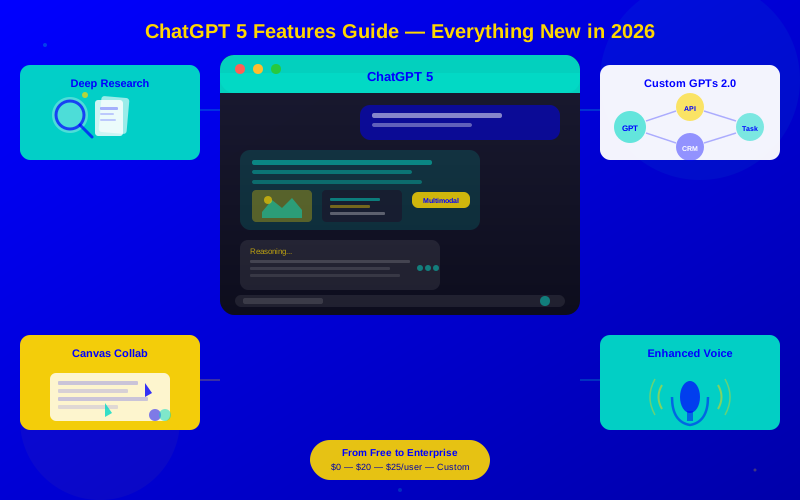
A practical walkthrough of ChatGPT 5's new features—deep research, native image generation, real-time collaboration, and more. Learn what's changed and how to use it.
ChatGPT 5 introduces native multimodal output—text, images, code, and audio in a single conversation.
Deep Research mode can analyze dozens of sources and return cited, structured reports in minutes.
Real-time collaboration lets teams work inside a shared ChatGPT canvas with persistent memory.
The reasoning engine handles multi-step problems with transparent chain-of-thought explanations.
Custom GPTs now support API integrations, scheduled tasks, and cross-GPT data sharing.
ChatGPT 5 launched in early 2026 with the biggest feature jump since the original GPT-4 release. It's not just smarter—it works differently. Native image generation, deep research, real-time collaboration, and a reasoning engine that shows its work.
Part of our series: This guide is part of our Complete Generative AI Guide for 2026. For context on how ChatGPT 5 fits into the broader generative AI landscape, start there.
This guide walks through every major new feature, explains what actually changed under the hood, and shows you how to get real value from each one.
What's Actually New in ChatGPT 5
OpenAI packed major changes into this release. Here's a clear breakdown of what's new versus what's improved:
Feature
ChatGPT 4o (Previous)
ChatGPT 5 (Current)
Text generation
Strong, occasional hallucinations
Stronger, fewer hallucinations, cites sources
Image generation
DALL-E 3 (separate tool)
Native generation in conversation
Reasoning
Basic chain of thought
Multi-step with transparent explanation
Web browsing
Plugin-based, inconsistent
Built-in, real-time, with Deep Research
Memory
Limited conversation memory
Persistent memory across sessions
Collaboration
Single user only
Real-time team canvas
Custom GPTs
Simple instruction sets
API integrations, scheduling, inter-GPT communication
Context window
128K tokens
256K tokens
Audio
Voice mode (input/output)
Enhanced voice with emotion, pacing, multiple voices
ChatGPT 5 delivers major upgrades in every dimension — especially reasoning, collaboration, and persistent memory
Deep Research Mode
Deep Research is the standout feature. Instead of answering from its training data, ChatGPT 5 actively researches your question across the web, reads multiple sources, cross-references facts, and delivers a structured report with citations.
How It Works
You ask a question or assign a research task. For example: "Compare the top 5 project management tools for remote teams in 2026."
ChatGPT plans its research. It creates a research plan and shows you which sources it intends to check.
It reads and analyzes sources. The model browses 10-30+ web pages, extracting relevant data from each.
It synthesizes findings. Results are compiled into a structured report with sections, comparisons, and source citations.
You review and refine. Ask followup questions or request deeper analysis on specific aspects.
When to Use Deep Research
Market analysis: Comparing competitors, pricing, and features across a category
Technical research: Understanding a new framework, library, or technology
Due diligence: Researching companies, products, or investment opportunities
Content creation: Gathering facts for articles, reports, or presentations
"Deep Research turned a 3-hour literature review into a 10-minute task. The citations alone saved me from having to verify everything manually."
— Dr. Elena Vasquez, Research Lead, BioScale Labs
Limitations to Know
Deep Research isn't perfect. It can miss paywalled content, may not find very recent information (within the last few hours), and occasionally misinterprets complex data tables. Always verify critical claims against the cited sources.
Native Image Generation
ChatGPT 5 generates images directly in conversation without switching to a separate tool. You describe what you need in natural language, and the image appears inline with your chat.
Key Improvements Over DALL-E 3
Text rendering: Text in images is now accurate and readable—signs, labels, logos, and headlines render correctly
Consistency: Generate multiple images of the same character or object with consistent appearance
Editing: Modify specific parts of a generated image ("change the background to a sunset" or "make the text blue")
Style matching: Upload a reference image and generate new images in that style
Infographics: Create charts, diagrams, and infographics from data you provide
Practical Use Cases
Task
How It Works
Quality Level
Social media graphics
Describe or upload brand assets + describe post
Production-ready
Blog illustrations
Describe the concept in natural language
Production-ready
Product mockups
Describe the product + context
Good for concepts, not final design
Presentation slides
Ask for specific slide visuals
Production-ready with tweaking
Technical diagrams
Describe architecture or flow
Good starting point, may need refinement
The Reasoning Engine
ChatGPT 5's reasoning engine tackles complex, multi-step problems and shows its work. This isn't just better answers—it's transparent thinking you can verify and redirect.
How Reasoning Mode Differs
When you ask a complex question, ChatGPT 5 can activate its reasoning engine (automatically or on request). It then:
Breaks the problem into sub-steps
Works through each step with visible reasoning
Identifies where it's uncertain
Checks its own work before delivering the final answer
Where Reasoning Shines
Math and logic: Multi-step calculations, proofs, and logical deductions
Code debugging: Traces through code execution to identify bugs
Strategic planning: Evaluates options with pros, cons, and trade-offs
Data analysis: Interprets datasets with step-by-step statistical reasoning
Legal and policy analysis: Applies rules to specific situations methodically
Real-Time Collaboration
ChatGPT 5 introduces Canvas—a shared workspace where teams can collaborate with AI in real time. Think Google Docs meets ChatGPT.
Canvas Features
Shared workspace: Multiple team members work in the same conversation
Document editing: AI writes, team members edit, AI can revise based on feedback
Version history: Track changes and revert to previous versions
Comments and suggestions: Team members can annotate AI output
Persistent projects: Work stays organized and accessible across sessions
Team Use Cases
Canvas works best for teams that produce written content, code, or strategic plans together:
Marketing teams drafting campaign copy
Engineering teams writing technical specifications
Legal teams reviewing contract language
Product teams creating PRDs and roadmaps
Custom GPTs 2.0
Custom GPTs got a major upgrade. They're no longer just instruction-wrapped chatbots. In ChatGPT 5, custom GPTs can:
Call external APIs: Connect to your tools (CRM, project management, analytics) and take actions
Run on schedules: Execute tasks daily, weekly, or on triggers ("Check my analytics every Monday morning")
Share data between GPTs: Your "Research GPT" can pass findings to your "Content Writer GPT"
Process files: Upload CSVs, PDFs, or spreadsheets and get structured outputs
Maintain state: Remember context across conversations without re-explaining
Building Effective Custom GPTs
The key to a useful custom GPT is specificity. Don't build a "general assistant"—build a tool for one job:
GPT Purpose
Instructions Focus
API Connections
Sales email writer
Company voice, product details, objection handling
CRM for lead data
Code reviewer
Team coding standards, common bugs, security rules
GitHub for PR access
Meeting summarizer
Summary format, action item extraction, follow-up templates
Calendar, Slack
Customer support draft
Tone guidelines, policy rules, escalation criteria
Help desk, knowledge base
Prompting Tips for ChatGPT 5
ChatGPT 5 understands more nuanced instructions, but good prompting still matters. Here's what changed:
What Works Better Now
Natural language instructions: You can be more conversational—the model handles ambiguity better
Complex multi-part requests: Ask for 5 things at once and it handles them all without losing track
Format requests: "Give me a markdown table" or "Format this as a numbered list" work reliably
Iterative refinement: "Make it shorter," "add more examples," "use simpler language" all work smoothly across turns
Prompt Patterns That Work Well
Role + task + format: "As a financial analyst, analyze this quarterly report and present findings as a SWOT analysis in a table."
Examples-first: Paste an example of the output you want, then ask for more in that style.
Constraints: "Under 200 words. No jargon. Written for a non-technical audience."
Thinking prompts: "Think through this step-by-step before giving your answer." (Activates the reasoning engine.)
ChatGPT 5 pricing tiers — the Plus plan at $20/month offers the best value for individual power users
Pricing and Plans
Plan
Price
Key Limits
Best For
Free
$0
Limited messages/day, base model
Trying it out, light personal use
Plus
$20/month
Higher limits, Deep Research, image gen
Individuals who use it daily
Team
$25/user/month
Canvas, admin tools, shared GPTs
Teams of 3-50 people
Enterprise
Custom
Unlimited, SSO, compliance, dedicated support
Large organizations
Conclusion
ChatGPT 5 is a meaningful upgrade. Deep Research alone justifies the switch for anyone who spends time gathering and synthesizing information. Native image generation eliminates tool-switching. The reasoning engine makes it a legitimate problem-solving partner. And Canvas brings teams into the same workflow.
The best way to evaluate it is to try it on your actual work. Pick your most repetitive task, spend 30 minutes with ChatGPT 5, and measure how it compares to your current approach. To see how ChatGPT 5 fits alongside Claude 3, Gemini Ultra, and other tools, read our Complete Generative AI Guide for 2026.
ChatGPT 5 offers a free tier with limited daily messages and access to the base model. The Plus plan ($20/month) unlocks deep research, image generation, and higher message limits. The Team plan ($25/user/month) adds collaboration features and admin controls. Enterprise pricing is custom.