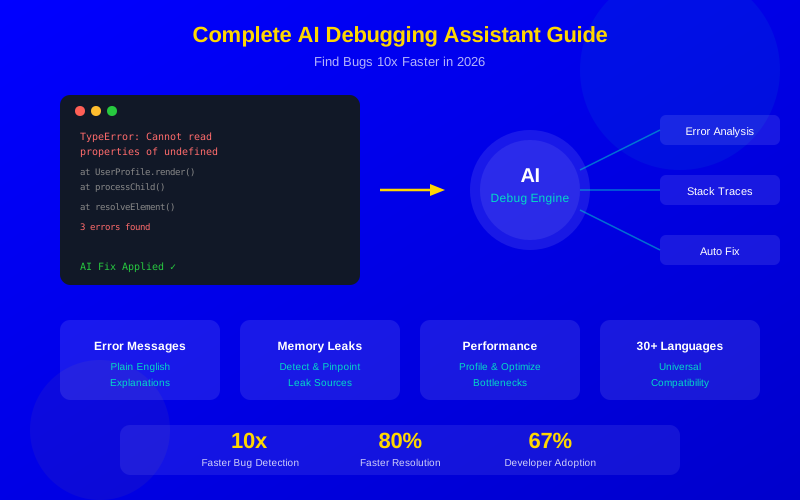
AI debugging assistants cut average bug-fix time from hours to minutes in 2026.
Top tools include GitHub Copilot Chat, Cursor Debug, Amazon Q, and specialized options like Snyk DeepCode.
AI can now analyze stack traces, explain error messages, detect memory leaks, and suggest fixes automatically.
Combine AI debugging with traditional tools for the best results—AI doesn't replace fundamentals.
Teams using AI debugging report 60-80% faster resolution times for production incidents.
Debugging eats up 35-50% of a developer's time. That adds up to months each year spent hunting down bugs instead of building features. AI debugging assistants in 2026 are changing this dramatically—finding bugs in seconds that would take hours to locate manually.
This guide covers every major AI debugging tool, real comparison data, and practical workflows you can use today. Whether you're a solo developer or leading a team, you'll find the right tool and approach here.
What This Guide Covers:
How AI debugging has evolved in 2026
Complete comparison of every major tool
Workflows for different bug types
Integration with existing development processes
Real-world results and case studies
Getting started recommendations
The State of AI Debugging in 2026
AI debugging tools show the biggest time savings on common errors like null references and API issues
AI debugging in 2026 is nothing like the basic error suggestions of a few years ago. Today's tools understand your entire codebase. They read stack traces, follow data flow, and pinpoint root causes—not just symptoms.
Key developments this year include:
ADVERTISEMENT
Full codebase awareness: AI analyzes your entire project to find the real source of bugs
Multi-step reasoning: Tools trace bugs through multiple files and function calls
Runtime analysis: AI monitors running applications and flags issues in real time
Natural language debugging: Describe a bug in plain English and get targeted help
Predictive detection: AI flags potential bugs before they reach production
According to JetBrains' 2025 Developer Survey, 67% of developers now use AI for debugging tasks. Teams report 60-80% faster bug resolution times on average.
"AI debugging has shifted from 'helpful sometimes' to 'essential daily tool.' Our team's mean time to resolution dropped 70% in six months."
ADVERTISEMENT
— Sarah Chen, VP of Engineering, Stripe
Complete AI Debugging Tool Comparison
The AI debugging market splits into two categories: general-purpose AI assistants with debugging features, and specialized debugging tools. Here's how they compare:
Most developers start with the debugging features in their existing AI coding assistant. Here's what each offers:
ADVERTISEMENT
GitHub Copilot Chat for Debugging
GitHub Copilot Chat is the most popular AI debugging tool because it's built into VS Code and JetBrains. Debugging with Copilot is as simple as selecting broken code, opening chat, and asking "Why does this fail?"
Its debugging features include:
ADVERTISEMENT
@workspace debugging: Analyzes your entire repo to trace bugs across files
Error explanation: Paste an error message and get a plain-English explanation
Fix suggestions: Generates code fixes you can apply with one click
Test generation: Creates tests to verify the bug is fixed
Terminal debugging: Explains terminal errors and suggests commands
Cursor takes AI debugging further with its Composer feature. You can describe a bug in natural language, and Cursor traces through your codebase to find the source. It then suggests changes across multiple files.
ADVERTISEMENT
Cursor excels at complex bugs that span multiple files. If a bug involves a frontend component, an API route, and a database query, Cursor can trace the entire chain and pinpoint where things break.
Amazon Q Developer Debug
Amazon Q shines for AWS-related debugging. If your Lambda function times out, your S3 permissions are wrong, or your DynamoDB query returns unexpected results, Q understands AWS services deeply enough to find the issue fast.
ADVERTISEMENT
It also offers automated code transformation that can fix entire categories of bugs during migration projects.
Specialized AI Debugging Tools
When general-purpose tools aren't enough, specialized debugging tools fill the gaps:
ADVERTISEMENT
Snyk DeepCode AI
DeepCode focuses specifically on security vulnerabilities and code quality bugs. It analyzes your code against millions of known vulnerability patterns and flags potential issues before they reach production.
Best features:
ADVERTISEMENT
Finds security bugs that general AI tools miss
Explains why code is vulnerable, not just that it is
Suggests secure alternatives with code examples
Integrates with CI/CD pipelines for automated scanning
Sentry AI for Production Debugging
Sentry AI monitors your running application and uses AI to group, analyze, and prioritize errors. When an error occurs in production, Sentry's AI:
Groups related errors automatically (even if stack traces differ slightly)
Provides root cause analysis with relevant code context
Suggests fixes based on similar resolved issues
Predicts which errors will affect the most users
AI debugging follows a consistent pipeline from detection to verified fix, drastically reducing manual investigation
AI Debugging Workflows by Bug Type
Different bugs need different approaches. Here are proven workflows for the most common bug types:
ADVERTISEMENT
Workflow 1: Error Message Debugging
This is the most common AI debugging task. You see an error, and you need to know what it means and how to fix it.
Slow code is a bug too. AI performance profiling tools help you find bottlenecks:
Profile your application with built-in tools
Feed profiling data to your AI assistant
AI identifies hotspots and suggests improvements
Compare before and after performance metrics
Workflow 4: Logic Bug Detective
Logic bugs are the hardest—the code runs fine but produces wrong results. AI helps by:
ADVERTISEMENT
Analyzing the expected vs actual behavior you describe
Tracing the relevant code paths
Identifying where assumptions break
Suggesting test cases that expose the bug
Integrating AI Debugging Into Your Workflow
AI debugging tools work best when they're part of your regular process, not an afterthought. Here's how to set this up:
IDE Integration
All major AI debugging tools integrate with VS Code, JetBrains, and Neovim. Set up keyboard shortcuts for quick access:
ADVERTISEMENT
Action
Recommended Shortcut
Tool
Explain this error
Ctrl+Shift+E
Copilot Chat / Cursor
Debug selected code
Ctrl+Shift+D
Copilot Chat / Cursor
Analyze stack trace
Ctrl+Shift+S
Copilot Chat / Cursor
Generate fix
Ctrl+Shift+F
Copilot Chat / Cursor
CI/CD Integration
Add AI debugging to your continuous integration pipeline:
Pre-merge scanning: Run Snyk DeepCode on every pull request
Test failure analysis: Auto-analyze failing tests with AI
Deploy monitoring: Connect Sentry AI to catch production issues immediately
Nightly scans: Run comprehensive AI code analysis on full codebase
Team Practices
Share AI debugging prompts that work well across your team
Document common AI-identified patterns in your wiki
Use AI debugging in code reviews to catch issues reviewers might miss
Track time-to-resolution before and after AI adoption
Real-World Results and Case Studies
Companies using AI debugging tools report consistent improvements:
ADVERTISEMENT
Company
Team Size
Tool
Result
Shopify
2,000+ devs
GitHub Copilot
65% faster bug resolution
Airbnb
1,500+ devs
Custom + Sentry AI
50% fewer production incidents
Stripe
1,000+ devs
Copilot + Snyk
70% faster MTTR
Small startup (50 devs)
50 devs
Cursor
80% faster for junior developers
"Our junior developers went from spending 4 hours on their first bug fix to 45 minutes. AI debugging is the best onboarding tool we've ever had."
— Engineering Manager at a YC-backed startup
Case Study: Reducing Production Incidents
A fintech company with 200 developers integrated AI debugging across their pipeline:
ADVERTISEMENT
Before: 45 production incidents per month, average 3.5 hours to resolve
After: 18 production incidents per month (AI caught 60% in pre-merge), 50 minutes average resolution
ROI: $420,000 saved in developer time per quarter
How to Choose the Right AI Debugging Tool
Use this decision framework to pick your tool:
Most teams get the best results by combining a general AI assistant with a specialized debugging tool
For Solo Developers
Start with your existing AI coding assistant's debugging features. GitHub Copilot Chat or Cursor handle 80% of debugging needs. Add Sentry's free tier for production monitoring.
ADVERTISEMENT
For Small Teams (5-20 Developers)
Use Copilot or Cursor for daily debugging. Add Snyk's free tier for security scanning. Set up Sentry for error tracking. Total cost: $10-20 per developer per month.
For Enterprise Teams
Deploy Copilot Business or Cursor Team for IDE debugging. Integrate Snyk Enterprise for compliance. Use Sentry Business for production intelligence. Consider adding Sourcegraph Cody for large monorepo debugging.
ADVERTISEMENT
AI Debugging Best Practices
Get the most from AI debugging with these proven practices:
1. Give AI Complete Context
The more context you provide, the better the results. Always include:
ADVERTISEMENT
The full error message and stack trace
What you expected to happen
What actually happened
Steps to reproduce the issue
Recent code changes that might be related
2. Verify AI Fixes Before Applying
AI debugging suggestions are usually right, but not always. Always:
Read and understand the suggested fix
Run your test suite after applying changes
Check for side effects in related code
Test edge cases the AI might have missed
3. Learn From AI Explanations
Don't just apply the fix—understand it. AI debugging is one of the best learning tools for developers at all levels.
ADVERTISEMENT
4. Build a Prompt Library
Keep a collection of debugging prompts that work well:
"Why does this test fail?" (with test code and error)
"What could cause this variable to be null here?"
"This code works locally but fails in production. What environment differences could cause this?"
"Analyze this stack trace and identify the root cause"
The Future of AI Debugging
AI debugging is evolving fast. Here's what's coming next:
ADVERTISEMENT
Self-healing systems: AI that detects and fixes bugs in production automatically
Predictive debugging: AI that catches bugs before they're introduced, based on code patterns
Visual debugging: AI that understands UI bugs and suggests CSS/layout fixes
Cross-service tracing: AI that debugs across microservices and distributed systems
Natural language tests: Describe expected behavior in English, AI generates and monitors tests
"Within two years, most common bugs will be caught and fixed before the developer even commits code. AI debugging will shift from reactive to fully preventive."
— Satya Nadella, Microsoft CEO
Getting Started Today
Ready to speed up your debugging? Here's your action plan:
ADVERTISEMENT
This week: Enable debugging features in your current AI tool (Copilot Chat, Cursor, or Amazon Q)
Next week: Try AI debugging on your next 5 bugs. Track time compared to manual debugging
This month: Add Sentry AI or Snyk DeepCode for specialized monitoring
This quarter: Integrate AI debugging into your team's CI/CD pipeline
The developers who adopt AI debugging today will have a significant advantage. Start with the basics, measure your results, and expand from there.
AI debuggingdebugging toolsbug detectionerror analysisstack traceAI developer toolscode qualityautomated debugging
Frequently Asked Questions
Yes, in many cases. Modern AI debuggers can auto-fix common patterns like null reference errors, off-by-one mistakes, and missing error handling. For complex logic bugs, AI provides detailed analysis and suggested fixes that developers review and apply. Think of it as a very experienced pair programmer who spots issues instantly.