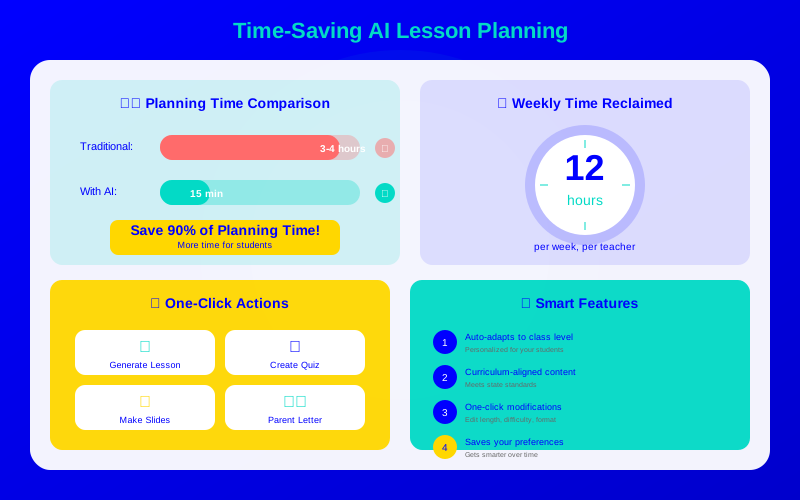
Teachers spend too much time planning. A Scholastic survey found that teachers work an average of 10.5 hours per day, with lesson planning consuming a significant chunk. AI tools can slash that planning time without sacrificing quality.
These aren't vague chatbots. Today's AI lesson planning tools are purpose-built for education. They understand standards, pedagogical frameworks, and what actually works in classrooms. The result: complete lesson plans in 2-3 minutes instead of 45-60.
What You Will Learn:
The best AI lesson planning tools for 2026
How to get quality results with the right prompts
Step-by-step workflow for maximum time savings
How to maintain your teaching style while using AI
The Time Problem Every Teacher Faces
Lesson planning isn't optional. But the time it takes is stealing from what matters most: teaching, relationships with students, and your own life outside school.
According to Education Week, the average teacher works 54 hours per week—far more than their contracted time. Planning and prep account for 4-8 hours of that total. AI can reclaim most of those hours.
"I used to plan Sunday evenings and most weeknights. Now I generate draft lessons during my prep period and tweak them. I have my evenings back."
MagicSchool AI is the most comprehensive option. It includes over 60 tools covering lesson plans, rubrics, IEP goals, parent communication, and more. Most teachers find it's the only AI tool they need.
For lesson planning specifically, input your topic, grade level, duration, and standards. MagicSchool generates a complete lesson with objectives, activities, assessment, and materials. The output is ready to use or easy to customize.
What makes it special:
Completely free for individual teachers
Standards-aligned across all 50 states
Student-safe AI assistant (Raina) for classroom use
Over 3 million teachers already using it
Curipod: Interactive Lessons That Engage
Curipod goes beyond planning text—it creates actual interactive presentations. Enter a topic, and Curipod generates slides with built-in polls, word clouds, drawings, and reflection questions.
The AI anticipates what will engage students at different ages. A lesson for 3rd graders looks different from one for high schoolers. The activities are genuinely interactive, not just digital worksheets.
Education Copilot focuses on generating lesson plans in formats administrators expect. If your school requires specific templates, Education Copilot can match them.
It also generates unit plans, scope and sequence documents, student reports, and more. The AI understands educational jargon and produces professional-quality documents.
What makes it special:
Professional formatting ready for administrator review
Unit and scope-and-sequence planning
Export to Word, PDF, or Google Docs
Student progress report generator
How to Save 5+ Hours This Week
Don't try to automate everything immediately. Follow this progressive approach:
Day 1: Choose one tool. MagicSchool is the safest starting point—it's free and comprehensive.
Day 2: Generate one lesson. Pick a topic you're teaching next week. Generate the lesson and review it.
Day 3: Customize the output. Add your personality. Adjust activities for your specific students.
Day 4: Teach the lesson. Note what worked and what didn't.
Day 5: Reflect and iterate. Adjust your prompts for better results next time.
By week two, you'll be generating 3-4 lessons daily. By month end, you'll wonder how you ever planned without AI.
Prompt Tips for Better Lesson Plans
The quality of AI output depends on your input. These prompting strategies get better results:
Do This
Instead of This
Why It Works
"45-minute lesson on the water cycle for 4th graders with a hands-on experiment"
"Water cycle lesson"
Specificity gives AI clear constraints
"Include discussion questions at Bloom's higher levels"
"Make it challenging"
Educational terminology produces better results
"Suitable for students with varied reading levels"
"Differentiate for my class"
Explicit needs get addressed
Average hours saved per week reported by teachers using each planning tool
Maintaining Quality While Saving Time
Speed without quality helps no one. Here's how to ensure AI-generated plans actually work:
Always preview activities: Make sure they're age-appropriate and feasible with your resources.
Check facts: AI occasionally hallucinates. Verify any statistics or historical details.
Add your signature elements: Your favorite discussion starters, inside jokes, or routines.
Test timing: AI estimates may differ from your actual class pace.
You became a teacher to teach, not to spend evenings writing lesson plans. AI tools handle the tedious work. You bring the expertise, relationships, and passion that no AI can replicate.
Create your free MagicSchool account today. Generate one lesson for tomorrow. Experience the difference. Your Sunday evenings are about to get a lot better.
AI creates strong first drafts. Most teachers spend 5-10 minutes customizing AI output vs. 45+ minutes creating from scratch. The quality is comparable, often with more creative activity ideas than teachers have time to develop alone.