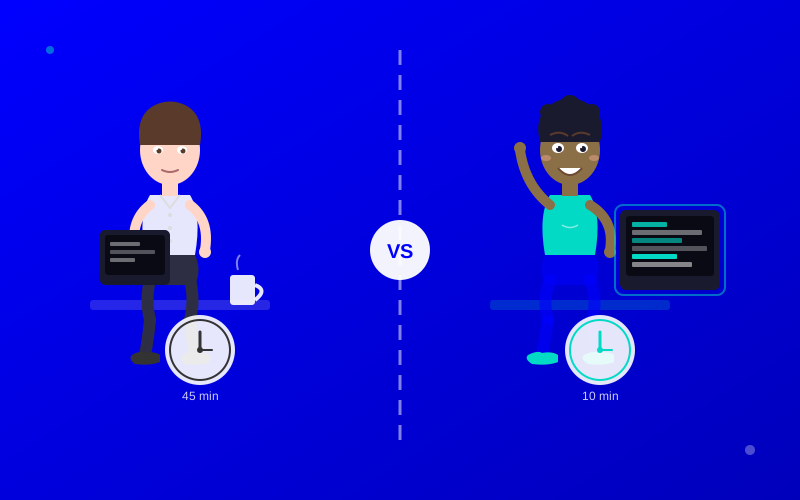
AI vs Traditional Coding: 5 Powerful Ways It Supercharges Your Skills in 2025

Does AI really outperform traditional development methods? We break down the key differences to reveal what’s best for modern project success.

0

Shares

83

Reads

Highlights

  • How AI stacks up against your trusty manual coding habits.
  • Real stats and stories showing where AI shines (and slips).
  • A simple plan to mix AI into your day without losing your edge.
  • Why the future isn't AI or humans – it's both teaming up.
ai vs traditional coding

Hey there, fellow code wrangler! Imagine this: You’re knee-deep in a project, fingers flying over the keyboard, crafting every line by hand. It feels solid, like building a treehouse with your own tools. But then AI whispers, “Hey, let me handle the boring bits.” Sound scary? That’s the buzz many devs feel right now – that nagging doubt if AI will steal your thunder or just hand you a turbo boost. If you’re stuck in traditional methods and eyeing AI with side-eye, you’re not alone. Let’s unpack this together, step by step, so you can decide what’s next for your workflow.

What Is AI vs Traditional Coding?

Think of traditional coding like baking a cake from scratch. You measure flour, crack eggs, and stir by hand – it’s all you, every mix and fold. AI vs traditional coding flips that script. Here, AI acts like a super-smart mixer: It whips up batter fast, but you still pick the flavors and check the oven.

In simple terms, traditional coding means you write every line, debug every bug, and plan every path on your own. AI coding? Tools like GitHub Copilot or Cursor jump in to suggest code, fix errors, or even build whole chunks. It’s not about replacing your brain – it’s about letting a digital sidekick handle the grunt work so you focus on the magic.

Take this real-world example: You’re building a simple web app to track tasks. Traditional way? You type out the HTML form, CSS styles, and JavaScript event listeners one by one. With AI? You prompt: “Create a responsive task list in HTML and JS.” Boom – it spits out starter code you tweak. Cool, right? But we’ll dig deeper soon.

The Efficiency of AI in Coding: Hype or Game-Changer?

So, what’s the deal with speed? Many devs swear AI cuts time on repeat tasks. Studies show developers save 30-50% of their time on boring code like boilerplate. That’s huge – think finishing a week’s drudgery in days.

But hold up, not all rosy. A 2025 study found experienced open-source coders took 19% longer on tasks with AI, thanks to double-checking its suggestions. Why? AI’s great at quick drafts, but humans spot the sneaky logic flaws.

“AI helps reduce the potential for human errors and minimizes manual, tedious tasks, thereby speeding the time-to-market and improving the quality and maintainability of software.” – Garrett Calpouzos, Principal Security Researcher at Sonatype

Here’s the bottom line: For routine stuff, AI wins on efficiency. In 2025, 78% of devs report productivity jumps from tools like Claude Code or Aider. Just test it on small wins first.

To see the split clearly, check this bar chart on productivity gains:

ai vs traditional coding chart

Human vs Machine in Programming: Where Each Wins Big

Picture humans as the architects sketching dream buildings. Machines? They’re the bricklayers stacking walls lightning-fast. In AI coding comparison, humans crush creative puzzles, like designing a game’s wild levels. Machines nail the manual development processes, churning out loops or APIs without a yawn.

AI shines in spotting patterns – say, refactoring a messy function. Traditional? You grind through lines, eyes glazing. But humans own the “why”: Why this algorithm? Why this user flow? AI might suggest code, but you decide if it fits the big picture.

“AI won’t replace programmers, but it will become an essential tool in their arsenal. It’s about empowering humans to do more, not do less.” – Satya Nadella, CEO of Microsoft

Think of it this way: In a team sprint, AI handles the fetch quests. You tackle the boss fight. That’s the sweet spot in human vs machine in programming.

AI Coding Comparison Workflows: Task by Task Breakdown

To help you pick sides (or mix ’em), here’s a quick table comparing AI vs traditional coding for everyday tasks. It spotlights where each workflow shines – or stumbles – so you can swap in AI without ditching your dev instincts.

TaskTraditional MethodAI MethodBest For
Writing Boilerplate CodeType repetitive setups manually (e.g., HTML skeletons). Takes 1-2 hours.Prompt tool like Cursor: “Generate React component boilerplate.” Instant draft.Speeding up startups
Refactoring a Complex FunctionHunt bugs line-by-line; 30-60 mins of trial/error.AI scans and suggests fixes in seconds (e.g., via GitHub Copilot). Review needed.Catching hidden issues
Debugging ErrorsRead logs, guess causes; frustrating loops.AI explains errors with fixes (e.g., Claude Code). Cuts time by 40%.Quick recovery
Building APIsWrite endpoints from scratch; error-prone.Auto-generate with tools like Replit Ghostwriter. Tweak for security.Prototyping fast
Testing CodeManual test cases; exhaustive but slow.AI creates unit tests (e.g., JetBrains AI). Human validates edge cases.Covering basics

This setup shows the hybrid magic: AI for grunt, you for genius.

Benefits of Automated Coding: Freeing Your Brain for Big Ideas

Automated coding isn’t just fast – it’s freeing. With AI handling 30% of code like Python functions, you dive into architecture or wild innovations.

One perk? Less burnout. Traditional methods grind on tedium; AI zaps it, boosting job joy. Plus, in 2025’s hot tools race, picks like Windsurf or Bolt.new make complex scripts a breeze.

Top engineers can spend less time writing basic code, tests, and documentation, and more time on architecture, performance, innovation, and delivering great user experiences.” – Phillip Goericke, Chief Technology Officer of Engineering at NMI

Real example: Need a JS function to validate emails? Traditional: Code it yourself.

// Traditional: Manual email validator
function isValidEmail(email) {
  const regex = /^[^\s@]+@[^\s@]+\.[^\s@]+$/;
  return regex.test(email);
}
console.log(isValidEmail("test@example.com")); // true

AI way? Prompt Copilot: “JS email validator with error handling.” It adds try-catch – done in seconds, you refine.

Your Step-by-Step Guide to Blending AI into Traditional Coding

Ready to test the waters? Here’s a no-sweat plan to add AI without upending your flow. Start small, build confidence.

  1. Pick One Tool: Grab free GitHub Copilot or Cursor. Install in your IDE like VS Code. Takes 5 minutes.
  2. Spot a Repetitive Task: Next debug or boilerplate? Prompt AI: “Fix this loop in Python.” Copy-paste your code.
  3. Review and Tweak: AI suggests? Read it twice. Run tests. Add your human touch – like security checks.
  4. Track Wins: Time your next task with/without AI. Note the speedup. Aim for 20% gain first week.
  5. Scale Up: Once comfy, try full features like auto-tests. Join dev forums for tips.

This hybrid path turns skepticism into superpower.

5 Questions for Developers to Ask About Integrating AI

Doubting the switch? Grill these to ease in:

  1. Does this task bore me? If yes, let AI draft – you edit.
  2. How much review time will it add? Start with 10% buffer.
  3. Fits my stack? Check tool compatibility (e.g., JS-friendly?).
  4. What’s the ROI? Track hours saved vs learning curve.
  5. Boosts my skills? Use AI to learn new patterns, not skip thinking.

The Future of Developer Jobs: Hybrid Wins in Smart Coding vs Traditional Methods

Fast-forward to 2026: Jobs won’t vanish – they’ll evolve. AI handles the “how,” you own the “why.” That’s augmented intelligence: Machine muscle, human smarts.

“AI is going to fundamentally change what it means to be a programmer. It won’t eliminate programmers, but it will require them to develop new skills and work in new ways.” – Grady Booch, Software Engineering Icon

Bottom line? Embrace AI vs traditional coding for a workflow that’s faster, smarter, and way more fun. You’ll code like a pro – with a robot buddy.

Frequently Asked Questions (FAQs)

Does AI Make Coding Easier for Beginners or Just Pros?

AI levels the field, but pros gain most. Beginners get quick starts; experienced devs save hours on tweaks. 82% of all devs use it weekly now.

Will AI Take Over Developer Jobs by 2030?

Nope – it amps them up. Experts predict 25% of firms using AI agents for routine code by 2025, freeing humans for strategy.

What’s the Best Free AI Tool for Traditional Coders?

Try Cursor or Bolt.new – they’re 2025 faves for seamless IDE plugs. Great for manual devs dipping toes.

How Do I Avoid AI Hallucinations in Code?

Always test outputs. Prompt clearly, like “Add error handling.” Human review catches 90% of goofs.

Is AI Coding Secure for Real Projects?

Mostly yes, but scan for vulns. Tools like Amazon Q flag risks – better than blind traditional slips.

ATJ STAFF

Blessing Ezema

Low-Code AI Platform Architect at AI Bloggers Journal®

Google Developers Expert (Machine Learning), TensorFlow Contributor Designed “BuildSmart,” a no-code AI builder with 500K+ devs on its Discord co

AI Tools Journal®

Get your daily Unbiased Reviews, Expert Insights, News built for Innovation and trends.

Subscribers Form

Related stories