Discover how AI transforms identity and access management with intelligent MFA, adaptive authentication, and automated governance. Compare the best IAM platforms and strategies.
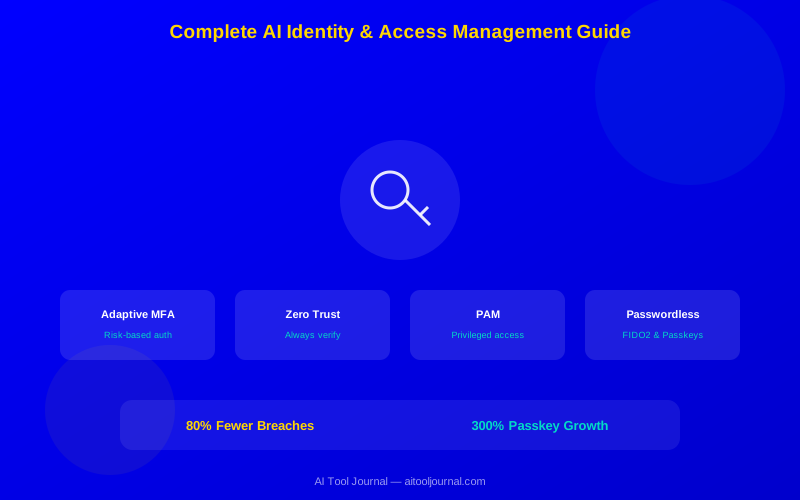
AI-powered IAM reduces unauthorized access incidents by 80% through behavioral analytics and risk-based authentication.
Adaptive MFA uses machine learning to adjust authentication requirements based on real-time risk assessment.
The average enterprise manages 10,000+ digital identities across cloud, on-premises, and SaaS applications.
AI identity governance automates access reviews that previously took weeks, completing them in hours.
Zero trust architecture—powered by AI—verifies every access request, reducing the blast radius of compromised credentials.
Passwordless authentication adoption grew 300% in 2025, driven by FIDO2 standards and AI-powered biometrics.
Stolen credentials cause 80% of data breaches. Passwords are the weakest link in cybersecurity, yet most organizations still depend on them. Attackers buy leaked credentials on the dark web, use phishing to harvest passwords, and brute-force their way into accounts daily.
Identity and Access Management (IAM) is the solution. AI makes it smarter, faster, and harder to bypass. Instead of static rules that treat every login the same, AI-powered IAM evaluates risk in real time. It knows when a login looks suspicious, adapts authentication requirements on the fly, and automatically revokes access when something is wrong.
This guide covers everything about AI-powered IAM in 2026. You will learn how modern platforms work, which vendors lead the market, and how to build an identity strategy that stops breaches without slowing down your workforce. If you are looking for data security beyond identity, see our Complete AI Data Protection Guide.
What You'll Learn:
How AI transforms identity and access management
The best IAM platforms compared by category
Adaptive MFA and risk-based authentication explained
Zero trust architecture implementation with AI
Identity governance automation and compliance
What Is AI-Powered IAM?
Identity and Access Management controls who can access what in your organization. It covers authentication (proving who you are), authorization (what you can do), and governance (reviewing and managing access rights over time).
Traditional IAM is static. You create accounts, assign permissions, maybe add MFA. The system treats every login the same way whether it comes from the user's usual laptop in the office or a new device in another country at 3 AM.
AI-powered IAM is dynamic. Machine learning models analyze every access request in context. They evaluate user behavior, device posture, network location, time patterns, and hundreds of other signals. Then they make real-time decisions: allow, challenge, block, or escalate.
Core Components of Modern IAM
Identity management — Create, manage, and deactivate user accounts across all systems
Single Sign-On (SSO) — One login grants access to all authorized applications
Access governance — Reviews and certifies that access rights are appropriate
Privileged Access Management (PAM) — Secures high-risk accounts like administrators and root users
Zero trust — Verifies every request regardless of source location or network
A modern AI-powered IAM platform integrates six core components
Adaptive MFA: Smart Authentication
Traditional MFA treats every login the same. Whether you log in from your usual office laptop or a new device in another country, you face the same authentication challenges. This creates friction for legitimate users and still does not stop sophisticated attacks.
Adaptive MFA changes the game. AI evaluates the risk of each login attempt and adjusts authentication requirements accordingly.
How Adaptive MFA Works
When you try to log in, the AI calculates a risk score based on multiple signals:
Location — Is this your usual login location or somewhere new?
Device — Is this a recognized device with up-to-date security patches?
Time — Is this login happening during your normal working hours?
Behavior — Does your typing pattern and mouse movement match your profile?
Network — Is this a trusted corporate network or a public WiFi?
Impossible travel — Did you just log in from a different continent 10 minutes ago?
If the risk score is low (your usual laptop, usual time, usual location), you might skip MFA entirely and get password-only access. If the risk is medium (new device but familiar location), you get a push notification. If the risk is high (new country, unrecognized device), you face hardware key verification plus additional challenges.
This keeps security tight where it matters and frictionless where it does not. Microsoft Entra ID calls this Conditional Access. Okta calls it Adaptive MFA. Both use the same AI-driven approach.
MFA Methods Compared
Method
Security Level
User Experience
Phishing Resistant
SMS codes
Low
Easy but slow
No (SIM swap risk)
Authenticator app (TOTP)
Medium
Good
No (phishable)
Push notification
Medium-High
Excellent
Partial (MFA fatigue risk)
Number matching push
High
Good
Yes
Hardware key (FIDO2)
Highest
Good
Yes
Passkey (biometric)
Highest
Excellent
Yes
Single Sign-On Platforms
SSO lets employees log in once and access all their applications without re-entering credentials. This improves security by reducing password sprawl and makes life easier for users who juggle 20-50 different applications daily.
The enterprise average is 130+ SaaS applications per organization. Without SSO, employees create weak or reused passwords for each one. SSO eliminates this by centralizing authentication and enforcing strong policies across all applications.
Top Enterprise SSO Platforms
Platform
Best For
App Integrations
Starting Price
Okta
Multi-cloud enterprises
7,500+ pre-built integrations
$2/user/month (SSO only)
Microsoft Entra ID
Microsoft 365 environments
3,000+ gallery apps
Included in M365 E3+
Ping Identity
Complex hybrid environments
1,800+ integrations
$3/user/month
OneLogin
Mid-market companies
6,000+ integrations
$4/user/month
JumpCloud
SMBs and remote teams
700+ integrations
Free for 10 users
Privileged Access Management (PAM)
Privileged accounts—admin accounts, service accounts, root access—are the keys to the kingdom. If attackers compromise a privileged account, they can access any system, exfiltrate any data, and maintain persistence indefinitely.
PAM solutions vault privileged credentials, enforce just-in-time access (granting admin rights only when needed and revoking them automatically), and record every privileged session for audit compliance.
How AI Enhances PAM
AI makes PAM smarter in several ways:
Anomaly detection — Flags unusual privileged session activity like accessing unfamiliar systems or running uncommon commands
Automatic credential rotation — Changes privileged passwords on schedule without human involvement
Session monitoring — AI watches privileged sessions in real time and can terminate sessions that show suspicious behavior
Least-privilege enforcement — ML models recommend reducing permissions based on actual usage patterns
Standing privilege elimination — AI enables just-in-time access, removing permanent admin rights
Just-in-time access dramatically reduces the attack surface compared to standing admin privileges
Top PAM Platforms
Platform
Best For
AI Features
Starting Price
CyberArk
Large enterprises
AI threat analytics, automatic rotation, session monitoring
Zero trust is the most significant shift in security architecture in decades. The core principle is simple: never trust, always verify. Every access request is treated as potentially hostile, regardless of where it comes from.
Traditional security built a perimeter around the network. If you were inside, you were trusted. VPN connections extended that trust to remote workers. But cloud migration, remote work, and sophisticated attackers have shattered this model. The perimeter does not exist anymore.
Zero Trust Principles
Verify explicitly — Authenticate and authorize every access request based on all available data points
Least-privilege access — Give users only the minimum access they need, only when they need it
Assume breach — Design systems as if attackers are already inside the network
AI makes zero trust practical. Without AI, verifying every access request creates unbearable friction. Users would face constant authentication challenges. AI eliminates this by silently evaluating risk and only challenging users when something looks wrong.
Identity governance ensures that the right people have the right access to the right resources. It sounds simple, but at scale it is a nightmare. The average enterprise has 10,000+ digital identities, each with access to dozens of applications. Employees change roles, join projects, and leave the company constantly.
Without governance, access rights accumulate over time. People who changed departments three years ago still have access to their old team's systems. This "access creep" violates least-privilege principles and creates massive risk.
How AI Automates Governance
AI governance platforms analyze actual access usage patterns—not just what people have access to, but what they actually use. They recommend revoking unused access, flag over-privileged accounts, and automate access certification reviews.
Traditional access reviews ask managers to approve or revoke hundreds of access rights for each employee manually. Most managers rubber-stamp approvals because they do not have time to evaluate each one. AI prioritizes the riskiest access rights and provides recommendations based on usage data, making reviews meaningful instead of performative.
Top Identity Governance Platforms
Platform
Best For
AI Features
Starting Price
SailPoint
Enterprise governance
AI access recommendations, peer group analysis, outlier detection
AI-driven access certification, role mining, risk scoring
Custom pricing
Passwordless Authentication
Passwords are fundamentally flawed. People reuse them, choose weak ones, write them down, and fall for phishing attacks that steal them. No amount of password policy enforcement fixes human behavior.
Passwordless authentication eliminates passwords entirely. Instead, it uses something you are (biometrics), something you have (a device or security key), or something your device proves cryptographically (passkeys).
How Passwordless Works
FIDO2 / Passkeys — The FIDO Alliance's standard uses public-key cryptography. Your device stores a private key that never leaves it. When you authenticate, the device proves it holds the private key without revealing it. This is phishing-proof because there is no shared secret to steal.
Biometric authentication — Fingerprint (Touch ID), facial recognition (Face ID, Windows Hello), and voice authentication. Biometrics are convenient and hard to forge, though they should always be backed by a FIDO2 key exchange.
Hardware security keys — Physical keys like YubiKey that plug into USB or tap via NFC. They are the gold standard for high-security environments and are mandatory for Google, Meta, and Cloudflare employees.
Apple, Google, and Microsoft now support passkeys across all major platforms. Adoption grew 300% in 2025, and enterprise rollouts are accelerating. Within 3-5 years, passwords will be optional for most enterprise applications.
Building Your IAM Strategy
A comprehensive IAM rollout follows a phased approach. Here is a practical roadmap:
Phase 1: Foundation (Weeks 1-6)
Deploy SSO for all major applications. This immediately improves security by reducing password sprawl and gives you centralized visibility into who accesses what. Enable basic MFA (push notifications at minimum) for all users.
Phase 2: Intelligence (Weeks 7-14)
Upgrade to adaptive MFA with risk-based policies. Configure Conditional Access rules that factor in device compliance, location, and user risk. Begin deploying passwordless options for high-security users.
Phase 3: Governance (Weeks 15-22)
Implement identity governance with automated access reviews. Run a discovery scan to find all orphaned accounts, excessive permissions, and compliance gaps. Establish lifecycle management (automatic provisioning at hire, de-provisioning at departure).
Phase 4: Privileged Access (Weeks 23-30)
Deploy PAM for all administrative accounts. Vault credentials, enable JIT access, and start session recording. Integrate PAM with your SIEM platform for real-time alerting on privileged activity.
Phase 5: Zero Trust (Ongoing)
Move toward full zero trust architecture. Replace VPN access with ZTNA (Zero Trust Network Access). Implement continuous validation for all access requests. This is a journey, not a destination—keep refining policies as AI models learn your environment.
IAM Pricing Guide
Enterprise IAM costs depend on which components you need and how many users you support.
Small Business (under 100 employees)
Use Microsoft Entra ID (included in Microsoft 365 Business Premium at $22/user/month) or JumpCloud (free for up to 10 users, then $7-11/user/month). These include SSO, MFA, and basic device management. Total IAM cost: $7-22 per user per month.
Mid-Market (100-1,000 employees)
Okta or Microsoft Entra ID P2 for SSO and adaptive MFA ($6-9/user/month). Add SailPoint or Saviynt for governance ($30,000-60,000/year). Add Delinea for PAM ($20,000-40,000/year). Total: $80,000-200,000 per year.
Enterprise (1,000+ employees)
Full Okta or Microsoft Entra ID suite for SSO, MFA, and lifecycle management. SailPoint for identity governance. CyberArk for PAM. Zscaler or Palo Alto for ZTNA. Total: $200,000-1,000,000+ per year depending on scale and complexity.
Common IAM Mistakes to Avoid
Day-one MFA fatigue — Enabling MFA for everything immediately causes user backlash. Start with adaptive MFA that only challenges risky logins.
Ignoring service accounts — Organizations focus on human identities but forget machine identities (API keys, service accounts, certificates). These outnumber human identities 45:1 in most enterprises.
Skipping lifecycle management — Without automated de-provisioning, employees who leave retain access for an average of 6 months after departure.
VPN as zero trust — VPN is not zero trust. It extends the perimeter instead of eliminating it. Replace VPN with ZTNA for modern secure access.
Rubber-stamp access reviews — If managers approve 95%+ of access certifications, your review process is broken. Use AI-driven recommendations.
Getting Started with AI-Powered IAM
Identity is the new perimeter. In a world of cloud applications, remote workers, and sophisticated attackers, controlling who accesses what is the most critical security function.
Start with SSO and MFA—they deliver the biggest security improvement for the least effort. Then build toward adaptive authentication, identity governance, and privileged access management. Zero trust is the destination, and every phase moves you closer.
The organizations that get identity right stop the majority of breaches before they start. Start today, build in phases, and let AI handle the complexity.
AI IAMidentity managementaccess management platformMFAzero trustSSOprivileged access managementOktaAzure ADidentity governance
Frequently Asked Questions
AI-powered IAM uses machine learning to manage who can access what resources in your organization. It goes beyond traditional username-and-password systems by analyzing user behavior, device context, location, and risk signals to make real-time access decisions. AI detects compromised accounts, automates access reviews, and enforces least-privilege access without creating friction for legitimate users.