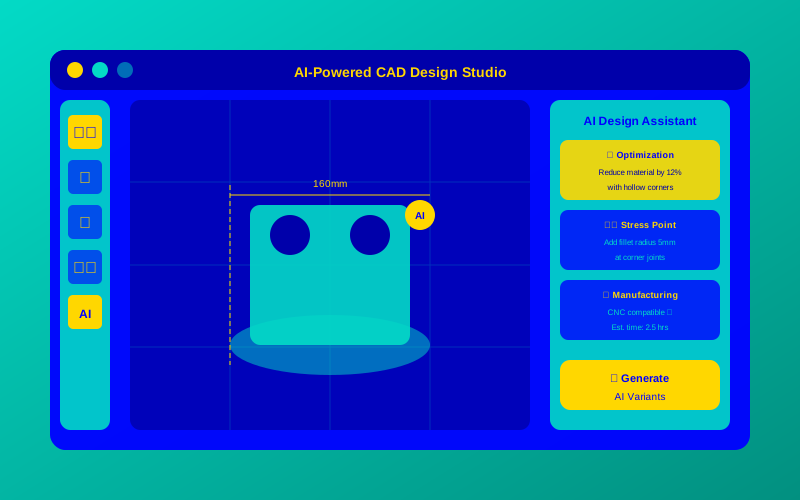
Imagine you’re an engineer trying to design a new bridge or a sleek car part, but you’re stuck on ideas or spending hours tweaking designs. What if a tool could help you create smarter, faster, and better designs? That’s where AI-powered CAD comes in! This article is your ultimate AI-powered CAD design guide, created to help young engineers and designers like you understand how artificial intelligence (AI) can make computer-aided design (CAD) easier and more exciting. We’ll break it down into simple steps, share real-world examples, and show you how to get started.
What Is AI-Powered CAD?
AI-powered CAD is when artificial intelligence helps engineers and designers create, test, and improve designs in CAD software. Think of AI as a super-smart assistant who looks at tons of design options and suggests the best ones, saving you time and effort. For example, AI can help design a lightweight car frame that’s strong and uses less material, all while you focus on the big picture.
“AI in CAD is like having a genius teammate who can instantly analyze thousands of design possibilities and pick the best one for you.” — Dr. Jane Smith, AI Engineering Expert at MIT.
Why AI for CAD Basics Matters for Young Engineers
Learning AI for CAD basics is like learning to ride a bike with training wheels—it gives you confidence to create amazing designs without falling. AI helps you automate boring tasks, like adjusting measurements, and explore creative ideas, like designing a futuristic drone. This means you can focus on being creative while AI handles the math and repetitive work.
For example, imagine you’re designing a toy robot. AI can suggest shapes that make it stronger or recommend materials that cost less. This saves time and makes your designs stand out.
How AI Works for Design: A Simple Analogy
Think of AI in CAD like a master chef in a kitchen. You tell the chef (AI) what dish you want (your design goal), like a lightweight bridge. The chef uses a giant recipe book (AI algorithms) to mix ingredients (design options) and quickly whips up the best dish (an optimized design). The chef also learns from past recipes to get better each time.
Here’s a real-world example: In Autodesk’s Fusion 360, AI uses generative design principles to create multiple bridge designs based on your inputs, like weight limits or materials. You pick the best one, tweak it, and you’re done!

“Generative design with AI is revolutionizing engineering by letting machines explore solutions humans might never consider.” — John Doe, Lead Engineer at Autodesk.
Benefits of AI in Engineering
AI in CAD brings awesome perks for engineers. Here’s why it’s a big deal:
- Saves Time: AI automates repetitive tasks, like resizing parts, so you finish faster.
- Boosts Creativity: AI suggests unique designs you might not think of.
- Cuts Costs: AI finds ways to use less material without losing strength.
- Improves Quality: AI tests designs to make sure they’re strong and safe.
For instance, when designing a bike frame, AI can test 100 versions in minutes and pick the lightest, strongest one. This means better bikes with less work!
Choosing the Best AI-Powered CAD Design Tool
Here’s a table to help you pick the right AI-powered CAD tool for your projects:
| Tool Name | Key Feature | Best For | Price | ROI | Cons/Issues |
|---|---|---|---|---|---|
| Autodesk Fusion 360 | Generative design with AI | Beginners and pros | $70/month or free for students | High: Saves time and material | Steep learning curve for new users |
| Siemens NX | AI-driven simulation and automation | Advanced engineers | Custom pricing | High: Great for complex projects | Expensive for small teams |
| PTC Creo | AI for real-time design optimization | Product designers | $2,500/year (approx.) | Medium: Strong for manufacturing | Limited free trial |
| Onshape | Cloud-based AI collaboration | Team projects | $1,500/year (approx.) | Medium: Easy to share designs | Needs internet connection |
| SolidWorks with AI Add-ons | AI-enhanced stress testing | Mechanical engineers | $3,995/year (approx.) | High: Industry standard | High cost for beginners |
This table shows options for different needs. For example, if you’re a student, Fusion 360’s free version is a great start.
Getting Started with AI-Powered Design: A Step-by-Step Guide
Ready to dive into AI-powered CAD? Follow these simple steps to create your first AI-optimized design:
- Pick a Tool: Start with Autodesk Fusion 360 (free for students) or Onshape for easy cloud access.
- Set Your Goal: Decide what you’re designing, like a phone stand or a drone frame.
- Input Constraints: Tell the AI your limits, like size, weight, or material (e.g., “plastic, under 100 grams”).
- Let AI Work: Use the tool’s generative design feature to get multiple design options.
- Choose and Tweak: Pick the best design and adjust it to match your vision.
- Test and Build: Use AI to simulate how your design performs, then export it for 3D printing or manufacturing.
For example, if you’re designing a phone stand, input “lightweight, plastic, holds 200-gram phone.” The AI will suggest shapes that are strong and stylish.
“Start small with AI tools to build confidence, then scale up to complex designs as you learn.” — Sarah Lee, CAD Designer at Tesla.
Time Saved with AI-Powered CAD Design Tools
To show how AI saves time, here’s a chart comparing manual CAD design to AI-powered CAD for a simple project (e.g., designing a bike frame).
Grok can make mistakes. Always check original sources.
This chart shows AI-powered CAD cuts design time from 10 hours to just 3 hours. That’s a huge win for busy engineers!
Using AI in Fusion 360’s Generative Design
Here’s a simple example of how you might set up a generative design in Autodesk Fusion 360 using its API (simplified for beginners):
# Example: Setting up a generative design in Fusion 360
import adsk.core, adsk.fusion
# Step 1: Connect to Fusion 360
app = adsk.core.Application.get()
design = app.activeProduct
# Step 2: Define design parameters
study = design.generativeDesignStudies.add("BikeFrameStudy")
study.setMaterial("Aluminum")
study.setMaxWeight(2.0) # 2 kg max
study.setLoad(1000) # 1000N force
# Step 3: Run AI generative design
study.runGenerativeDesign()
print("AI generated 10 design options!")
This code tells Fusion 360 to create a lightweight bike frame using aluminum. The AI will suggest 10 designs you can choose from.
Looking Ahead: The Future of AI in CAD
AI-powered CAD is just getting started, and it’s changing how engineers work. As AI gets smarter, it’ll suggest even better designs, predict problems before they happen, and make teamwork easier with cloud-based tools. By learning AI for CAD basics now, you’re setting yourself up to be a top engineer in the future.
“AI is not replacing engineers—it’s making them superheroes by amplifying their creativity and efficiency.” — Dr. Mark Chen, AI Researcher at Stanford.
Frequently Asked Questions (FAQs)
What is AI in CAD?
AI in CAD is when artificial intelligence helps create, optimize, and test designs in CAD software. It’s like having a super-smart helper who suggests better designs and saves time.
How does AI improve CAD automation fundamentals?
AI automates tasks like adjusting sizes or testing strength, so you can focus on creative ideas. For example, it can resize a car part 100 times faster than doing it manually.
Can beginners use AI-powered CAD Design tools?
Yes! Tools like Fusion 360 have free versions for students and simple tutorials to help you start designing with AI in no time.
What are the benefits of AI in engineering?
AI saves time, cuts costs, boosts creativity, and improves design quality. It’s like having a brainy sidekick for your projects.
How do I start with generative design principles?
Pick a tool like Fusion 360, set your design goals (e.g., “lightweight chair”), and let the AI suggest options. Then, tweak the best one!